Medical Alert Watch for an Elderly Parent: What Families Need to Know (Australia, 2026)
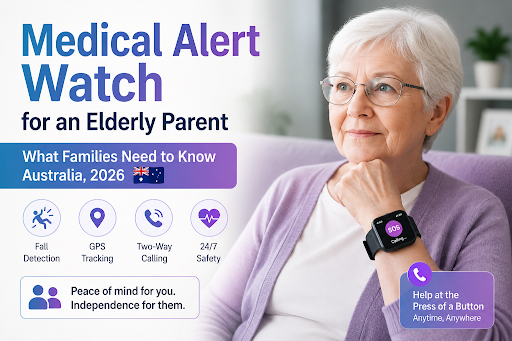
If you're worried about a parent living alone and wondering whether a medical alert watch is the answer, this guide walks you through how they work, what they cost in Australia, and how to choose — plus what to do if your parent won't wear one.
That quiet worry — did Mum have a fall today? Would I even know? — is what brings most families here. If your parent lives on their own, a medical alert watch can feel like the obvious answer: something that calls for help automatically if the worst happens.
It can be a great option. But there are real things to weigh up first — including the single biggest reason these devices fail, which nobody warns you about. Let's go through it honestly.
What a medical alert watch does
It looks like an ordinary smartwatch, but it's built for safety. The good ones include:
- - An SOS button your parent can press for help
- - Automatic fall detection — it calls for help even if they can't press the button
- - GPS — so you can see where they are (especially useful if they still drive or have dementia)
- - Two-way calling — they can speak to you or a monitoring centre through the watch
The big advantage over a pendant: it looks like a normal watch, so many parents are more willing to wear it than something that feels "medical."
How fall detection works
The watch has motion sensors that monitor movement constantly. When they detect the pattern of a fall — a sudden drop followed by stillness — the watch raises the alarm automatically, either to a 24/7 monitoring centre or to your phone.
Set your expectations honestly: fall detection is very good but not flawless. It can occasionally trigger a false alarm, and rarely miss a genuine fall. It's a strong safety layer — not a guarantee — and any provider claiming perfection isn't being straight with you.
What they cost in Australia
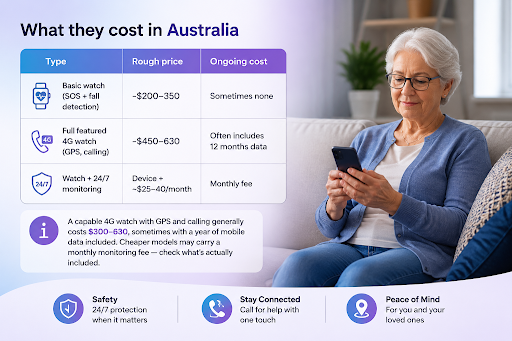
| Type | Rough price | Ongoing cost |
|---|---|---|
| Basic watch (SOS + fall detection) | ~$200–350 | Sometimes none |
| Full-featured 4G watch (GPS, calling, data) | ~$450–530 | Often includes 12 months data |
| Watch + 24/7 monitoring | Device + ~$25–40/month | Monthly fee |
A capable 4G watch with GPS and calling generally costs $300–530, sometimes with a year of mobile data included. Cheaper models may carry a monthly monitoring fee — check what's actually included.
Choosing the right one
- 1. Automatic fall detection — essential, not just a manual button.
- 2. Battery life — 24+ hours, or it'll end up flat.
- 3. Two-way calling — so they can talk to whoever responds.
- 4. GPS — important if they're mobile and go out.
- 5. Waterproof — for the bathroom, where many falls happen.
- 6. Comfort and looks — the deciding factor, because if they don't like it, they won't wear it.
Funding: you may not pay full price
Your parent may be eligible for support toward a device through Support at Home, the Commonwealth Home Support Programme, the NDIS, or state programs. If they already receive home care services, it's worth checking whether a medical alert device may be included as part of their support. Check with My Aged Care (1800 200 422) before paying full price.
The problem nobody warns you about
Here's what catches most families out: a watch only works if your parent wears it and keeps it charged.
You'd be surprised how often a $500 watch ends up in a drawer because:
- - Dad thinks it makes him look old
- - Mum forgets to charge it
- - It's uncomfortable, so it comes off at night — when falls often happen
- - They just don't like wearing "a device"
If your parent is happy to wear a watch, a good one is genuinely valuable. But if they're proud and independent — and resist anything that signals frailty — you may buy the best watch on the market and still be no better off, because it won't be on their wrist.
This is worth thinking through before you spend the money, because it's the number one reason these devices don't help in practice.
If your parent won't wear a device
If you already suspect a watch will end up in the drawer — or if your bigger worry isn't only falls, but whether anyone's actually checking on them each day — there's another approach worth knowing about.
A daily check-in call. Instead of a device waiting for an emergency, someone calls your parent every day on their normal phone — checks they're okay, has a friendly chat, can remind them about medications, and texts you afterwards. If they don't answer, you're alerted.
This is what CareCob does. Grace, an AI companion, phones your parent daily — no app, no watch, nothing to wear or charge. It works on their existing phone, even a basic landline. If you'd like to see how it works, you can learn more before deciding whether it's the right fit for your family.
| Medical alert watch | CareCob daily call | |
|---|---|---|
| Needs wearing/charging | Yes | No — their normal phone |
| Detects a fall | Yes | No |
| Daily contact & wellbeing check | No | Yes |
| Medication reminders | Some | Yes |
| Companionship | No | Yes |
| Updates to you | On alert only | Every day |
| Cost | ~$300–530 + maybe monthly | From $59, credit you use as you go |
To be clear: CareCob AI isn't a fall detector, and we won't pretend it is. If falls are your parent's main risk, a fall-detection watch matters. But if the real worry is isolation, missed medication, and simply knowing they're okay each day — or if they'll never wear a device — a daily call fills a gap a watch can't. Many families use both.
The bottom line
A medical alert watch is a strong choice if your parent will wear one — especially if falls are the main concern and they still get out and about. Look for real fall detection, good battery, and waterproofing, and check funding first.
But be honest with yourself about whether they'll actually wear it. If the answer is "probably not," a daily check-in call may do more for your peace of mind — with nothing for them to wear, charge, or resist.
You can try CareCob's first 30 minutes free — Grace just calls their normal phone. Nothing to set up.
Frequently asked questions
What's the best medical alert watch for an elderly parent?▼
The best one is the one they'll actually wear. Look for automatic fall detection, good battery life, two-way calling, GPS if they're mobile, and waterproofing — but comfort and looks decide whether it gets worn at all.
Does it need a smartphone or home internet?▼
Usually no — many use their own mobile SIM. A daily check-in call like CareCob needs nothing but your parent's normal phone.
How much does one cost in Australia?▼
Around $300–530 for a good 4G model, sometimes with a year of data included. Watch for hidden monthly fees.
What if my parent refuses to wear it?▼
Very common. If they resist devices, a daily check-in call is often the better option — nothing to wear or charge, just a call to their normal phone.
Can I get it funded?▼
Possibly, through Support at Home, CHSP, NDIS or state programs. Contact My Aged Care on 1800 200 422.
Related guides
General information only, not medical or financial advice. For personalised guidance, contact My Aged Care on 1800 200 422.