How CareCob works — simple for your loved one, powerful for your family
No apps. No screens. No learning required. Your elderly loved one just answers the phone — Grace does the rest.
Cancel your trial anytime.

CareCob works for three people at once
Your elderly loved one
Grace calls them every day. They just answer — exactly like any normal phone call. No technology to learn. No buttons to press. They can also call Grace back anytime on the same number.
You and your family
You receive a daily SMS summary and can check the full wellness dashboard anytime from your phone or computer. Instant alerts if anything needs attention.
Their care team
If your loved one has a home care package or professional carer, CareCob shares daily insights with their care team — bridging the gap between visits.
How CareCob works — step by step
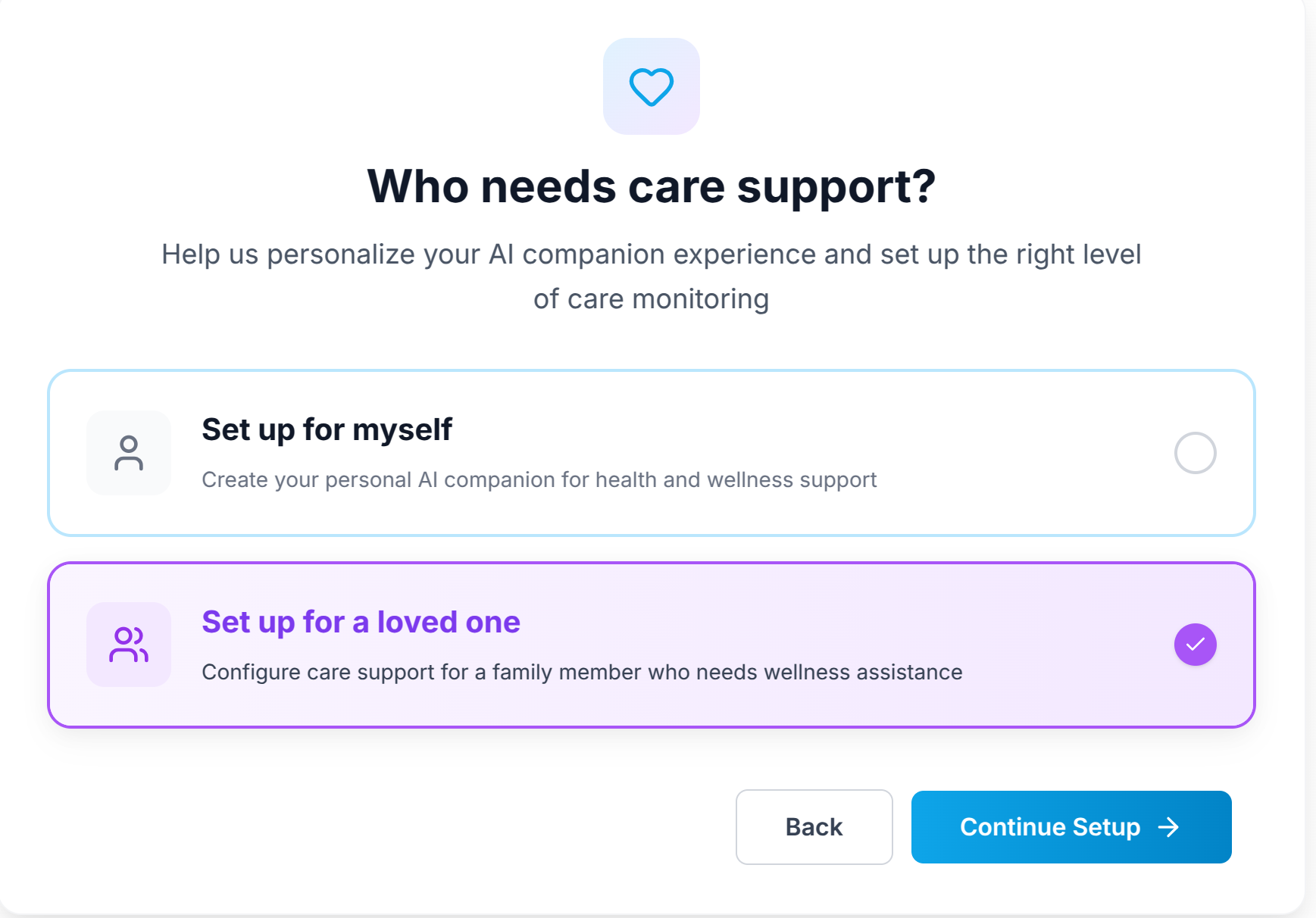
You set up the profile (takes 10 minutes)
Create your loved one's profile on the CareCob website. Add their name, preferred call time, language, and any medications they take. You do all of this — your loved one does not need to be involved in setup at all.
Grace calls your loved one daily
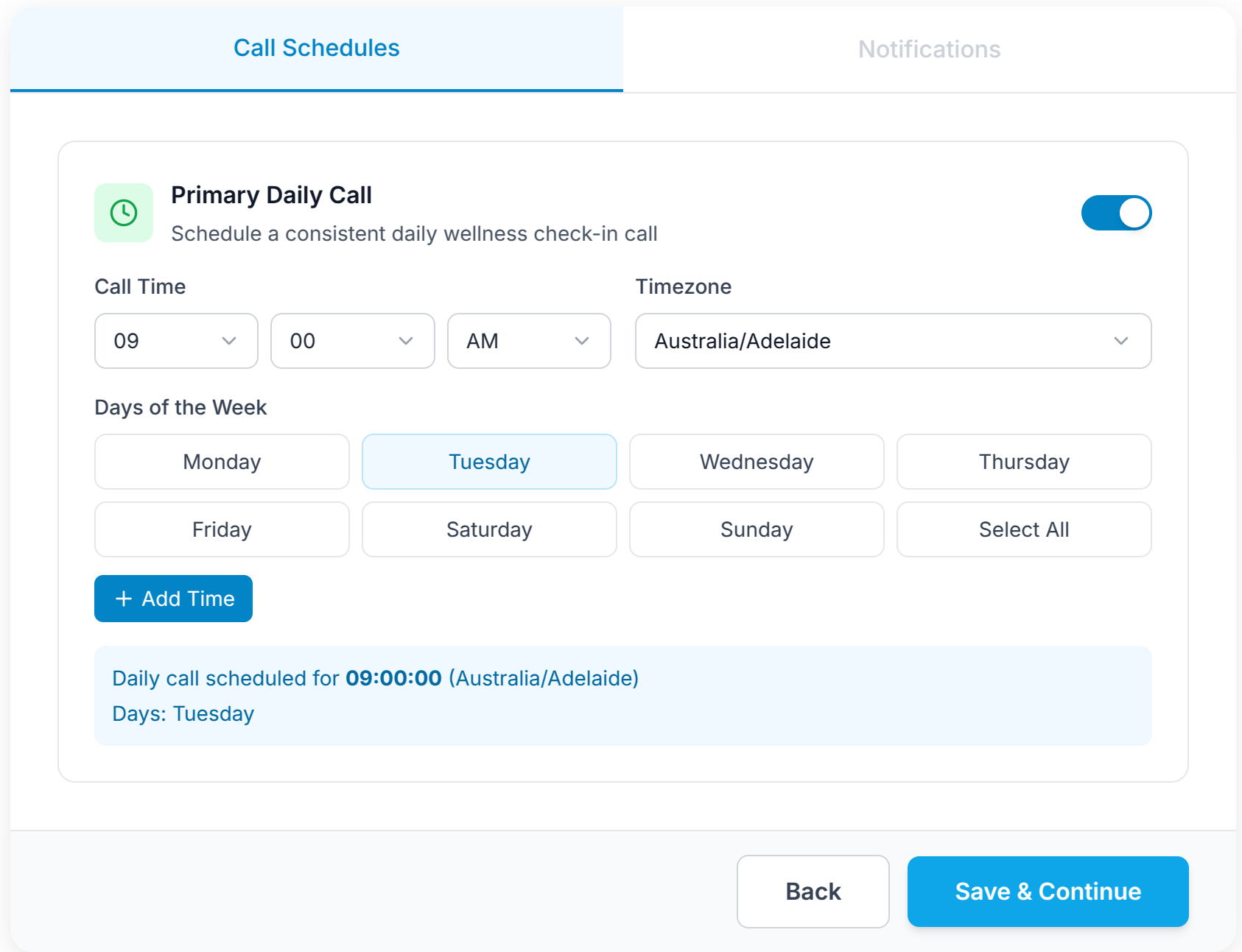
At the time you chose, Grace places a natural phone call to your loved one's phone — home phone or mobile, whichever they prefer. They answer and have a warm, natural conversation. Grace asks how they are feeling, checks on any health concerns, and delivers any medication reminders.
Your loved one can call Grace back anytime
If your loved one wants to talk between scheduled calls, they can call Grace back on the same number at any time. Grace will answer and have a natural conversation — no menus, no hold music, no confusion.

You receive a daily summary
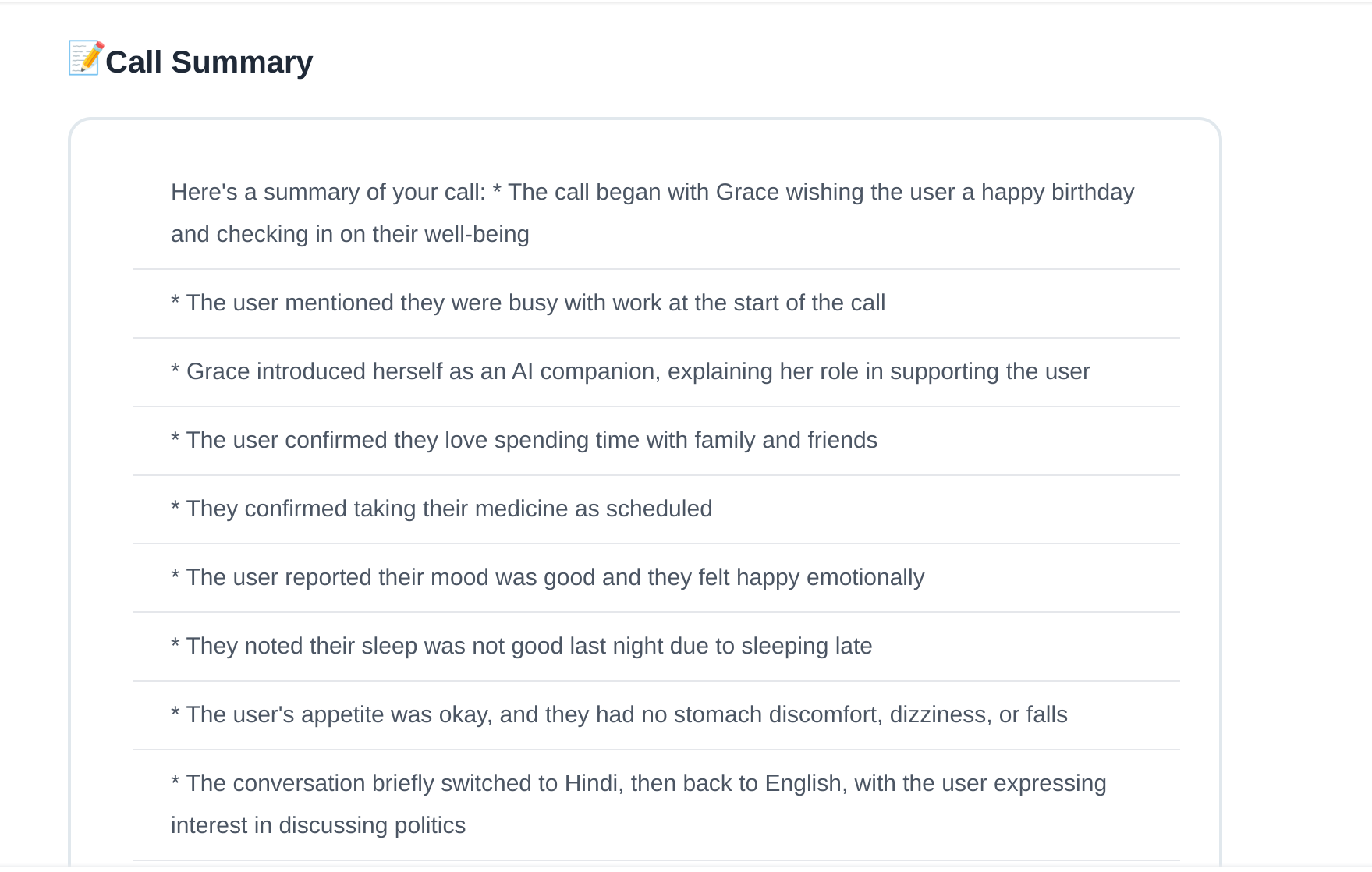
After each call, you receive a summary via SMS and it appears on your family dashboard. The summary covers how your loved one seemed, any concerns they raised, and whether they took their medications. You can check it anytime from your phone or computer.
Instant alerts if anything needs attention
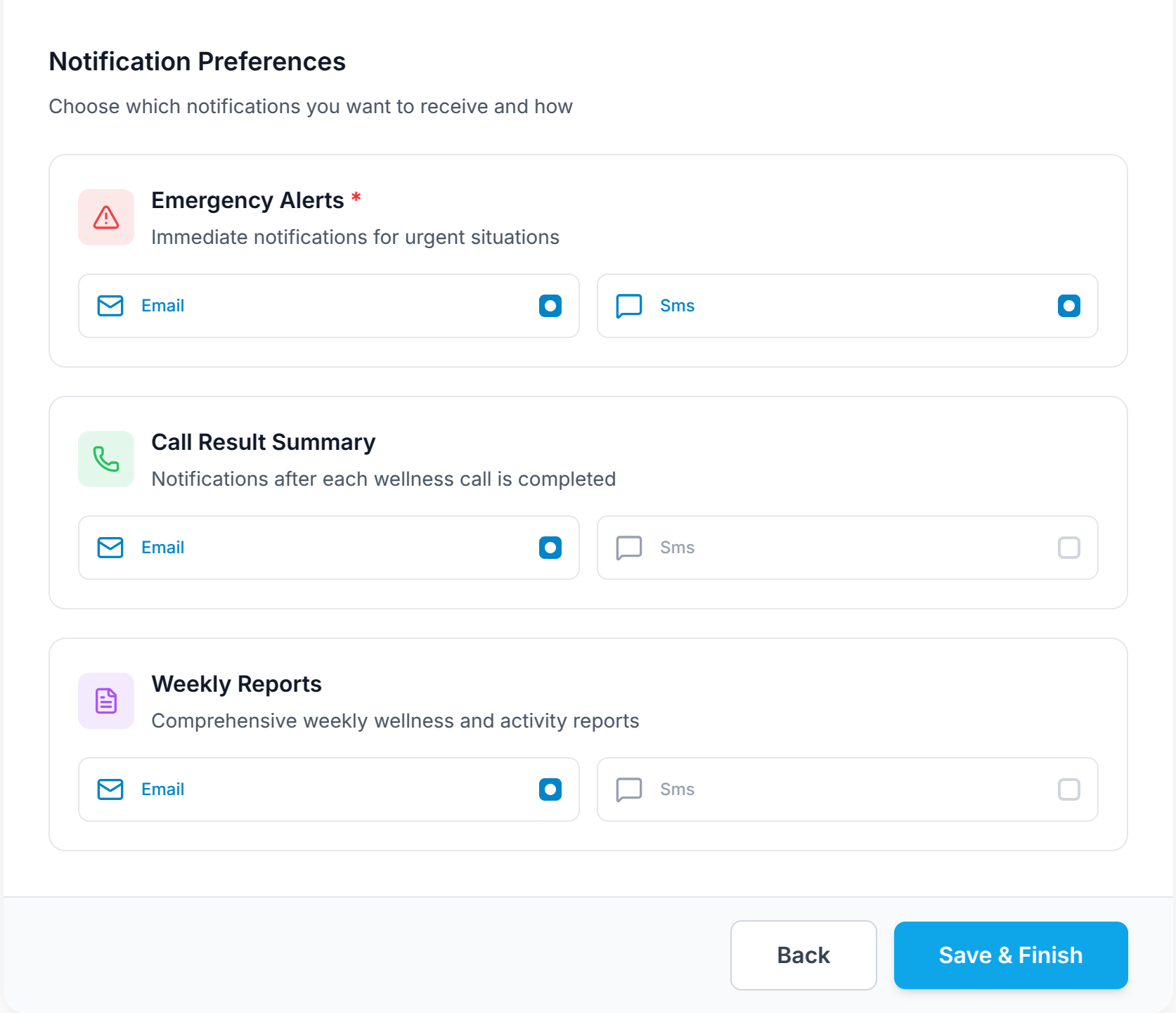
If Grace detects anything concerning — missed call, signs of distress, a reported health issue — you receive an immediate alert on your phone. You decide whether to follow up in person, call your loved one, or contact their care provider.
What you see as a family member
CareCob gives families three ways to stay informed — SMS summaries, the family web dashboard, and instant alerts.
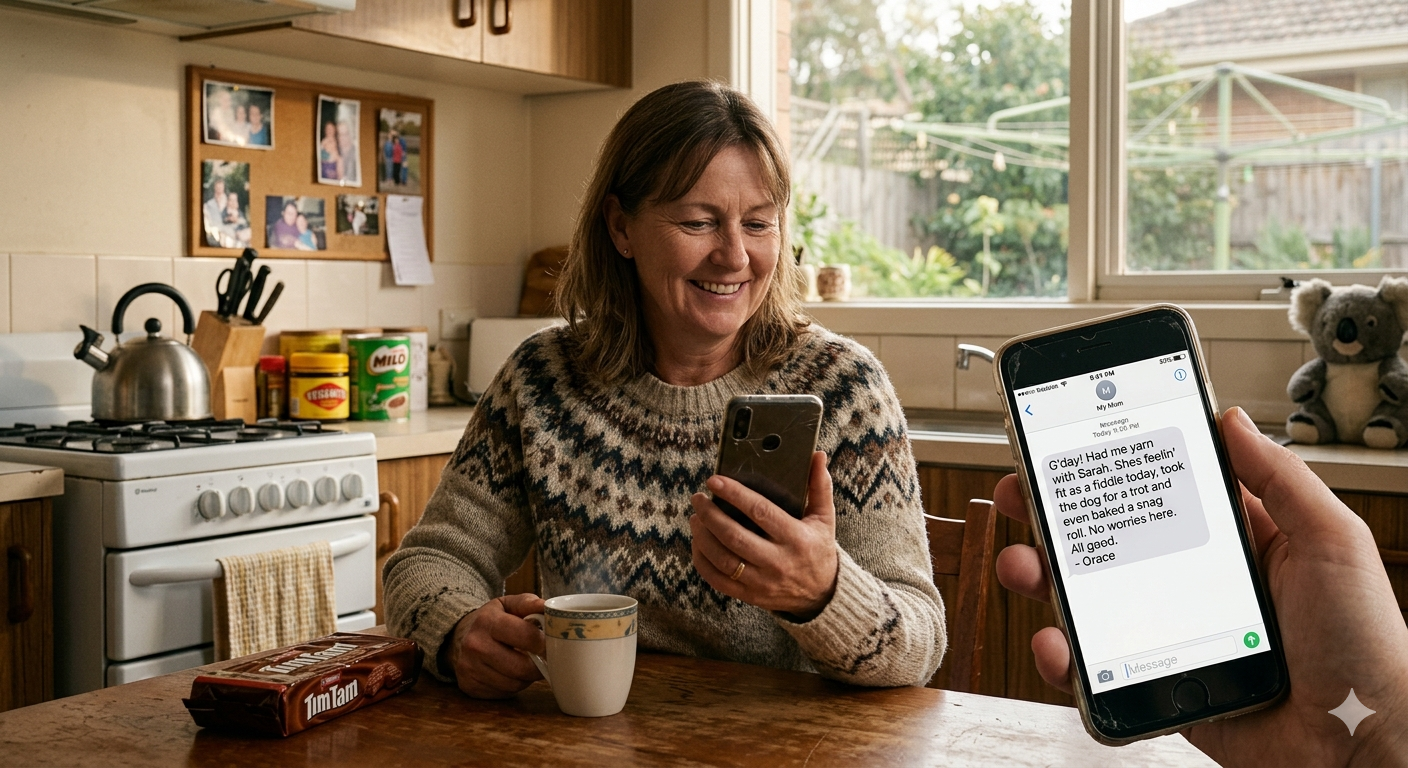
Daily SMS summary
Every day after Grace's call, you receive a plain-text SMS summary on your phone. No app needed. Just a message telling you how your loved one is doing — in plain, clear language.
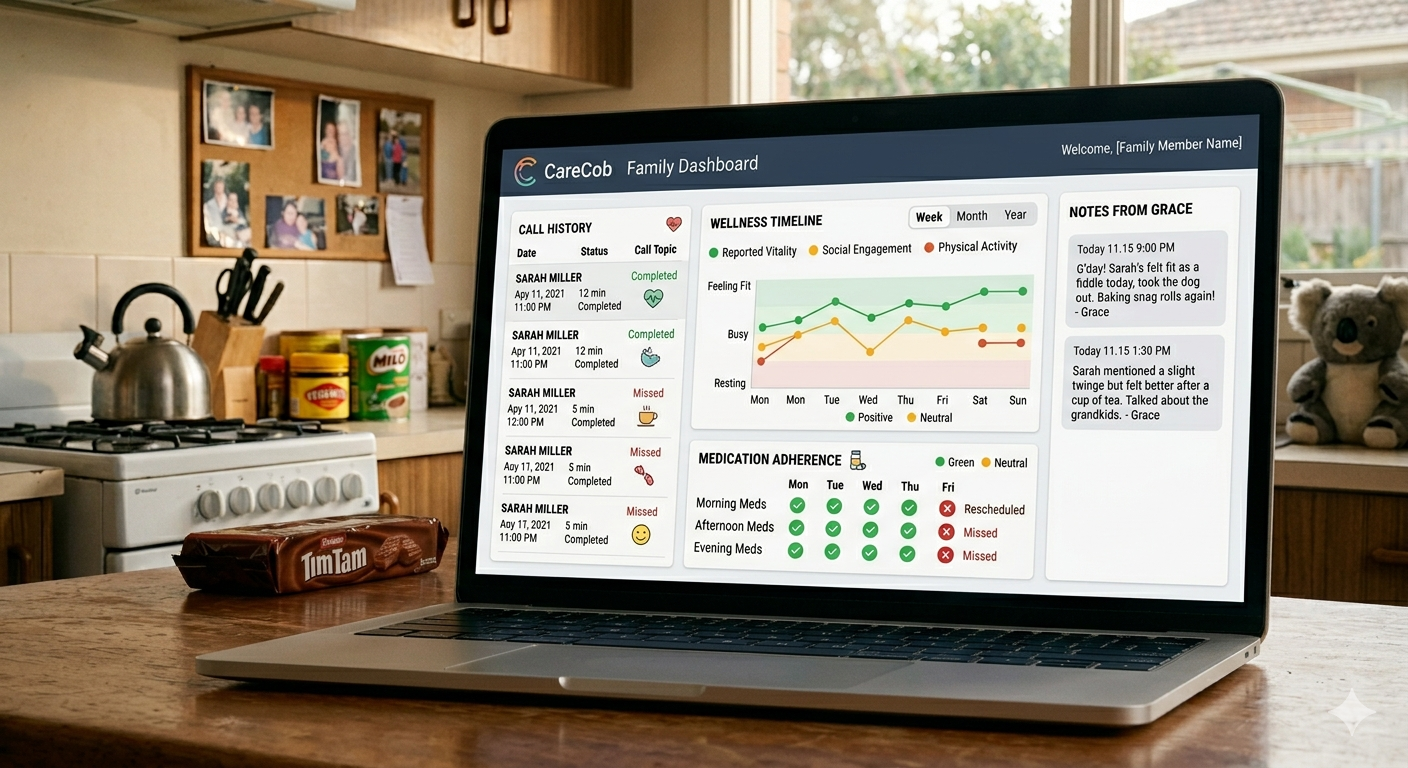
Family web dashboard
Log in to the CareCob family dashboard from any device to see the full history of calls, wellness trends over time, medication adherence, and any notes from Grace's conversations. Clear, simple, and always up to date.
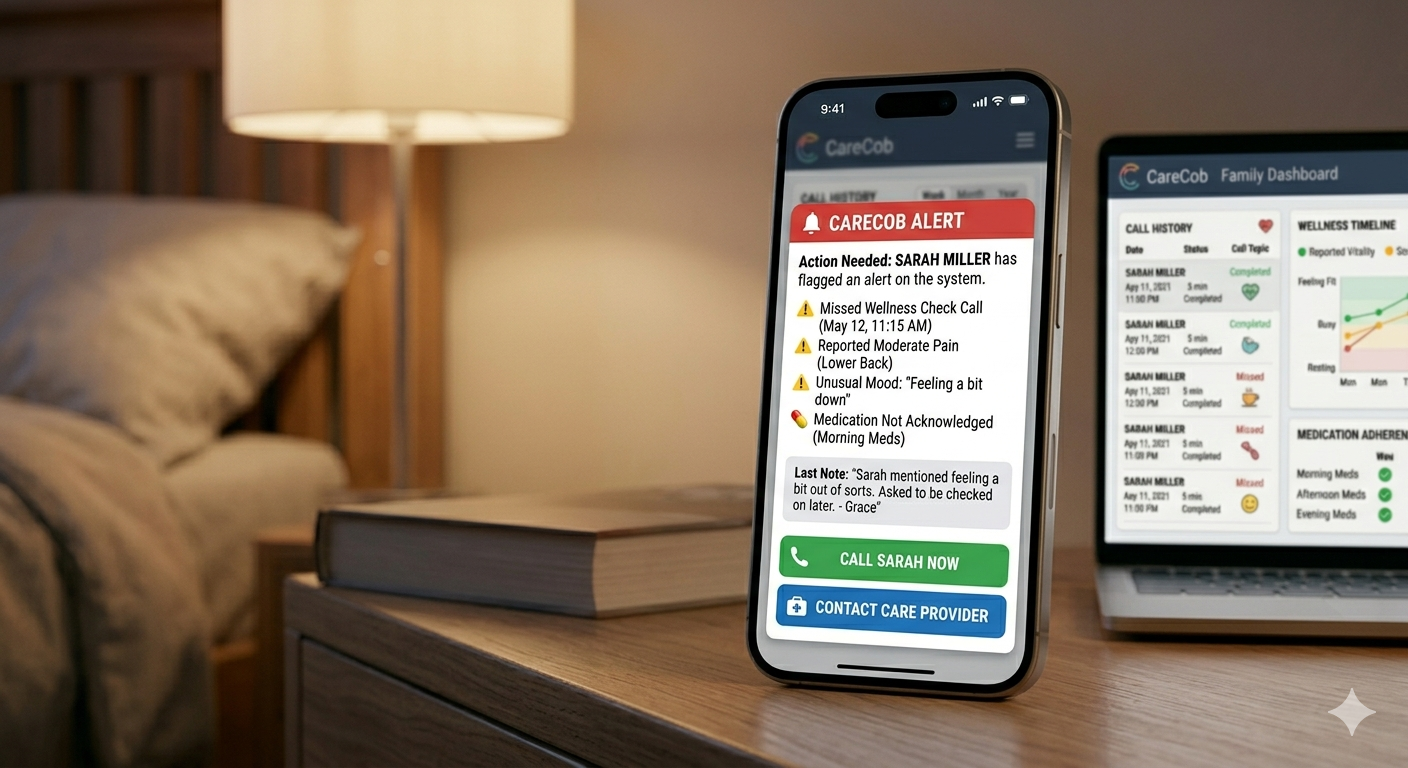
Instant alerts
If anything needs your attention — missed call, reported pain, unusual mood, or a medication that was not acknowledged — you receive an instant alert via SMS and a dashboard notification. You can act immediately.
Common questions from families
Try CareCob free trial
What's included:
- Free trial — cancel anytime
- Cancel or change your plan anytime
- Set up in 10 minutes — support available if needed
After your trial:
Plans from $59 AUD/month for individual loved ones.
Family plans from $149/month for up to 5 loved ones.
See full pricingCancel anytime.
Frequently asked questions about how CareCob works
Ready to give your elderly loved one daily companionship — and give yourself peace of mind?
Start your free trial today. Set up in 10 minutes. Cancel anytime.
Used by Australian families to support elderly loved ones at home. Cancel anytime.